
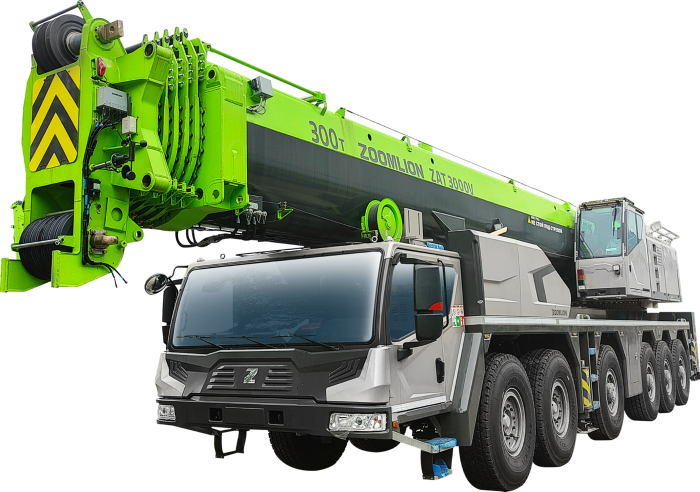
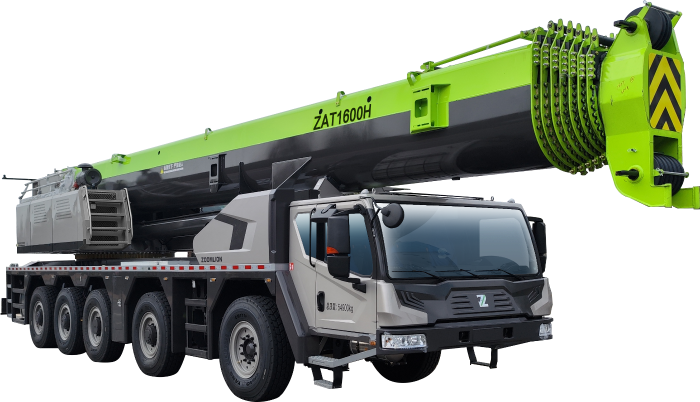
When operating heavy mobile, crawler, or tower cranes, safety and precision are paramount. Zoomlion cranes—including popular models across the ZTC, QY, and ZCC series—rely on advanced electronic safety systems to manage heavy lifting operations. At the heart of this protection is the Load Moment Indicator (LMI) system, also known as the Safe Load Indicator (SLI) or Load Moment Limiter (LML).
When a Zoomlion LMI display screen goes blank, shows communication errors, or triggers erratic overload cut-offs, the crane’s main control system automatically locks out dangerous functions. Equipment downtime directly leads to lost revenue, delayed project timelines, and operational disruption.
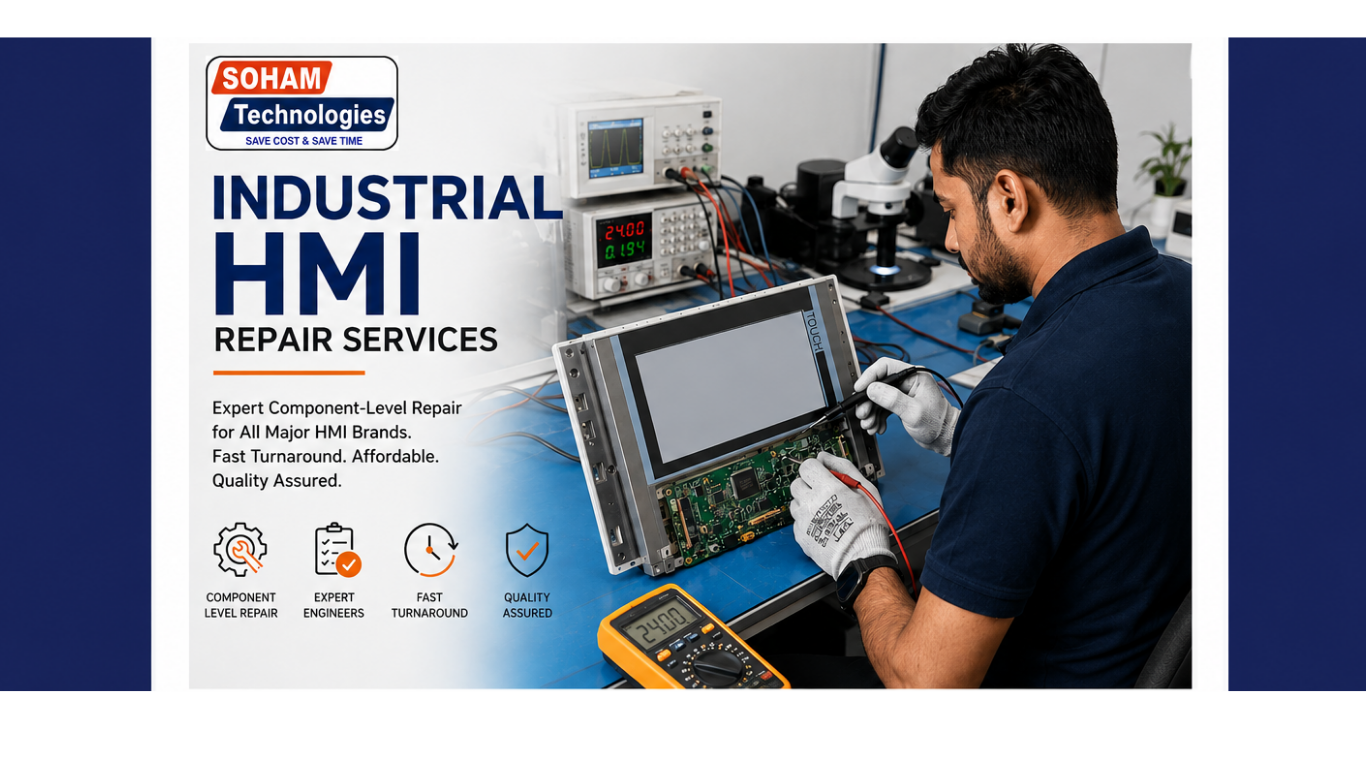
While OEM manufacturers often recommend replacing the entire LMI computer unit or display monitor assembly at exorbitant costs, component-level electronic repair provides a faster, more reliable, and highly cost-effective solution. At Soham Technologies, we specialize in diagnosing and repairing complex Zoomlion crane electronics down to the individual component on the circuit board.
1. Understanding Zoomlion Crane Safety System Architecture
To understand how failures occur, it helps to review how the Zoomlion LMI system interacts with the crane’s main hardware. The LMI system is an electronic safeguard designed to continuously calculate working radius, boom length, main hook load, boom angle, and rated capacity against stored load charts.
+-----------------------------------------------------------------------+
|                    Zoomlion LMI Operator Display                      |
|                  (Cabin Host Monitor / Screen Panel)                  |
+-----------------------------------------------------------------------+
                                   |
                          [ CAN-Bus Network ]
                                   |
  +--------------------------------+--------------------------------+
  |                                |                                |
+-----------------------+  +-----------------------+  +-----------------------+
| Main Safety Controller|  | Sensor Signal Modules |  | Solenoid Output Board |
|  (CPU / Core Module)  |  | (Angle, Length, Load) |  | (Hydraulic Cut-Offs)  |
+-----------------------+  +-----------------------+  +-----------------------+
Key Modules in the Setup:
- Cabin LMI Monitor / Host Display Unit: Located in the operator cabin, this visual panel displays critical parameters such as actual load, maximum allowed load, percentage capacity, boom angle, radius, and error codes.
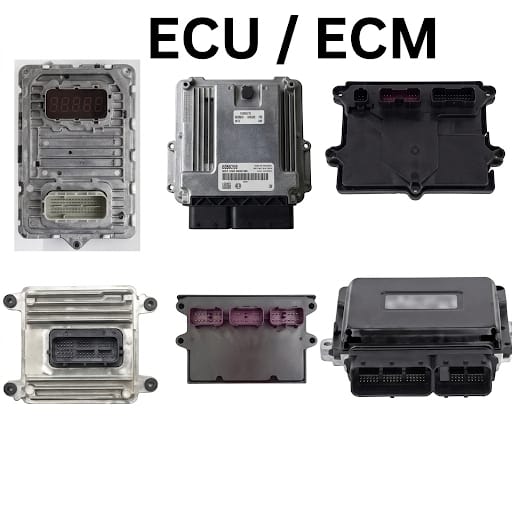
- Main Safety Controller (CPU Module): The central computing board executing safety algorithms, evaluating sensor inputs, and controlling safety shut-off outputs.
- Signal Conditioning & Input Processing Cards: Circuitry that amplifies and converts low-voltage signals from pressure sensors, angle sensors, and length transducers into digital data.
- Output Relay & Solenoid Driver Boards: Power circuits responsible for energizing hydraulic solenoid valves to lock out unsafe motions (e.g., lowering the boom or hoisting beyond safe limits).
When any single circuit card, power supply module, or CAN-bus transceiver degrades within this network, the whole safety interlock triggers a lockout condition.
2. Common Failure Modes in Zoomlion LMI Electronics
Heavy crane electronics endure extreme operating conditions. Daily exposure to mechanical vibration, severe weather, battery voltage fluctuations, and hydraulic oil mist can degrade sensitive electronic components over time.
       +---------------------------------------------------------+
       |             ZOOMLION LMI HARDWARE FAILURES              |
       +---------------------------------------------------------+
                                    |
     +------------------------------+------------------------------+
     |                              |                              |
+--------------------------+  +--------------------------+  +--------------------------+
| Display & Touch Defects  |  | PCB & Circuit Hardware   |  | Signal & Sensor Faults   |
| - Blank / Faded Display  |  | - Shorted Power PMICs    |  | - CAN-Bus Timeout        |
| - Broken Touch Screen    |  | - Blown Transistors/IC   |  | - Sensor Supply Dropout  |
| - Keypad Contact Wear    |  | - Corroded Copper Traces |  | - False Overload Locks   |
+--------------------------+  +--------------------------+  +--------------------------+
A. Cabin Display & Screen Problems
- Blank or White Screen Display: Occurs when internal power converters, backlight drivers, or main graphic processors fail inside the cabin monitor box.
- Unresponsive Membrane Buttons or Touchscreen: Physical wear, broken flex ribbons, or faulty touch controller ICs prevent operators from selecting load charts or acknowledging alarms.
- Faded LCD Matrix or Lines on Screen: Caused by aging LCD panels, corrupted video memory ICs, or degraded display connector pins.
B. Safety Controller & PCB Hardware Faults
- Power Supply Section Failure: Voltage spikes during engine jump-starting or faulty alternator regulators frequently burn out DC-DC converter ICs, filter capacitors, and protection diodes.
- CAN-Bus Communication Drops: Damaged transceiver chips on the circuit card cause permanent communication timeouts between the host display and the core safety controller.
- Burnt Solenoid Output Drivers: Shorted hydraulic coils on the crane can feedback heavy currents onto the controller board, blowing MOSFETs, relays, and driver ICs.
- Intermittent Sensor Readings: Corrosion on input amplifier circuits leads to false load readings, erratic boom angle errors, or random safety lockouts.
3. Step-by-Step Electronics Repair Process at Soham Technologies
+-----------------------------------------------------------------------+
| STEP 1: Microscopic Inspection & Thermal Analysis                     |
| Check for burnt traces, shorted capacitors, heat stress, & oxidation. |
+-----------------------------------------------------------------------+
                                   |
                                   v
+-----------------------------------------------------------------------+
| STEP 2: In-Circuit Testing & Signature Analysis                       |
| Analyze IC pin signatures, logic gates, & CAN transceivers.          |
+-----------------------------------------------------------------------+
                                   |
                                   v
+-----------------------------------------------------------------------+
| STEP 3: Precision SMD Desoldering & IC Replacement                    |
| Micro-soldering of damaged chips, power MOSFETs, & capacitors.       |
+-----------------------------------------------------------------------+
                                   |
                                   v
+-----------------------------------------------------------------------+
| STEP 4: Display & Interface Restoration                              |
| Replace LCD panels, repair flex ribbons, & fix membrane keypads.     |
+-----------------------------------------------------------------------+
                                   |
                                   v
+-----------------------------------------------------------------------+
| STEP 5: Bench Simulation & Protective Conformal Coating               |
| Test system signals under simulated loads & apply protective seal.   |
+-----------------------------------------------------------------------+
Technical Workflow Details:
- Visual & Thermal Micro-Inspection: The circuit board is removed in an ESD-safe workstation and examined under high-power stereo microscopes. Thermal imaging cameras identify micro-shorted surface-mount capacitors and overheating power ICs.
- In-Circuit Component Signature Analysis: Using V/I curve tracers and digital storage oscilloscopes, technicians test input/output pin characteristics, logic gates, and microcontrollers without removing healthy components.
- Precision Surface-Mount Rework: Damaged components—including CAN transceivers, microcontroller chips, power MOSFETs, and tantalum capacitors—are replaced using specialized temperature-controlled hot-air soldering tools.
- Display Panel Reconstruction: Defective cabin displays receive panel swaps, backlight inverter repairs, and keypad ribbon repairs to fully restore clarity and interface controls.
- Bench Simulation & Conformal Coating: Repaired controllers are bench-tested using simulated sensor inputs to verify signal processing, relay triggers, and display outputs. A protective conformal coating is then applied to guard against humidity, vibration, and dust.
4. Why Choose Soham Technologies for Heavy Machinery Electronics?
- Massive Cost Reductions: Component-level repair typically saves 60% to 80% compared to purchasing brand-new OEM control boxes or replacement monitors.
- Minimized Operational Downtime: Avoid weeks or months of waiting for imported factory replacement modules by repairing existing boards locally.
- Dedicated Component Expertise: Skilled engineers repair delicate circuit traces, power management chips, and microprocessors directly.
- Rigorous Bench Testing: Every repaired unit undergoes comprehensive power-up, communication, and load-simulation testing before installation.
5. Comprehensive Search & Product Keyword Reference Matrix
| Category | High Search Volume Keywords | High-Reach / Low-Density Niche Keywords | Direct Product & Error Terms |
| LMI System Repair | Zoomlion crane load moment indicator repair | Zoomlion crane LMI computer repair | Zoomlion SLI system controller fix |
| LMI System Repair | Zoomlion crane safe load indicator repair | Component level crane safety computer repair | Zoomlion safe load indicator board repair |
| Safety Controller Repair | Zoomlion crane safety controller repair | Zoomlion mobile crane main board troubleshooting | Zoomlion ZTC crane safety module repair |
| Safety Controller Repair | Heavy crane safety system repair | Zoomlion crane CAN bus controller fix | Zoomlion crawler crane CPU board repair |
| Display Panel Fixing | Zoomlion crane monitor display repair | Zoomlion LMI screen replacement | Zoomlion cabin LMI display blackout fix |
| Display Panel Fixing | Crane LMI display fixing | Zoomlion crane membrane keypad panel repair | Zoomlion LMI display touch screen repair |
Restoring Crane Reliability with Soham Technologies
Contact Soham Technologies today for professional diagnosis, board-level repairs, and bench testing for Zoomlion crane electronics and heavy machinery control systems.